
A library that stays focused
Install the GTNH versions you want and keep each pack in its own instance. Only installed versions stay in the library.
GT New Horizons launcher
Install packs, tune Java and memory, then launch and inspect every session from one focused desktop workspace.
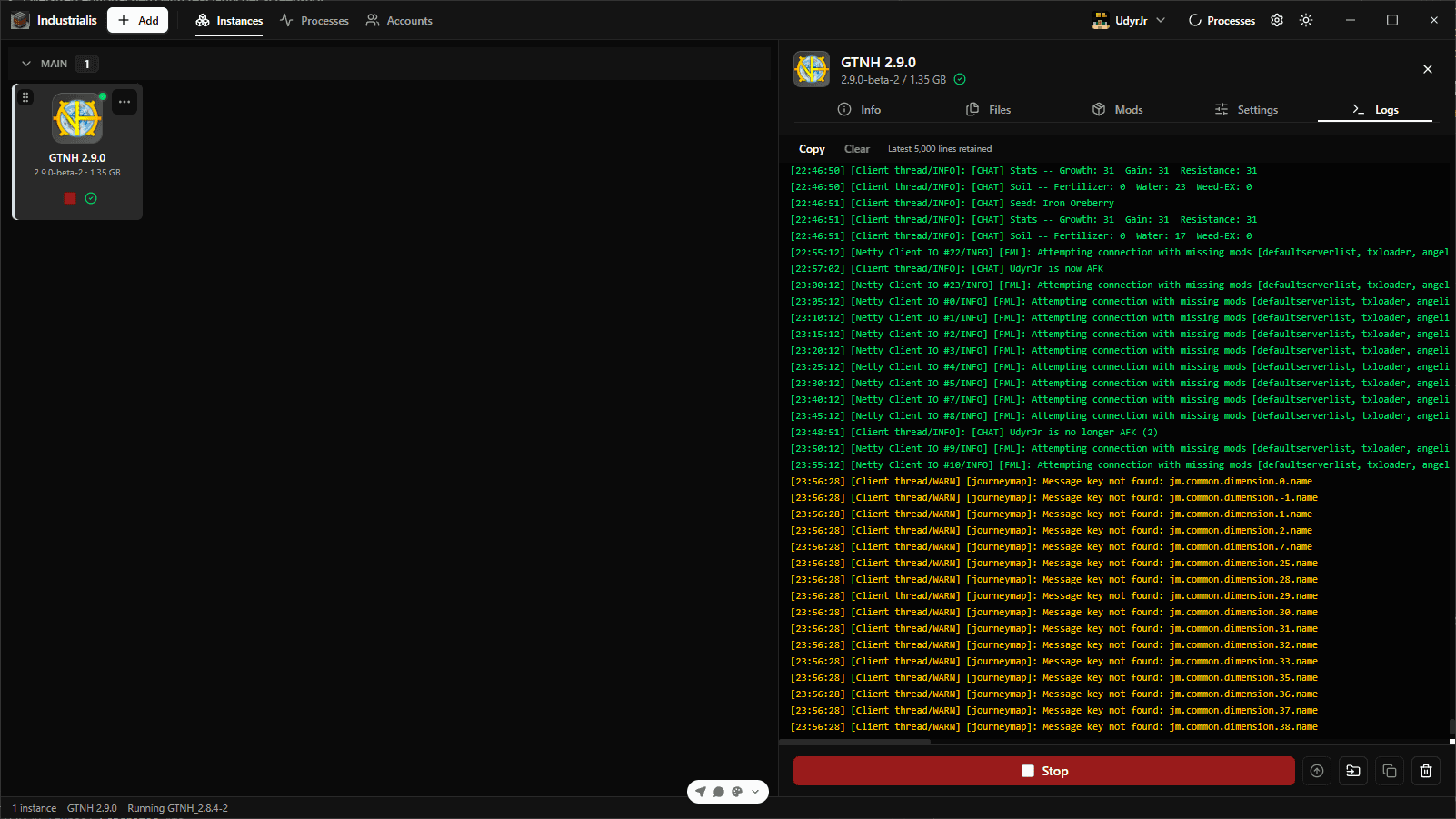
Industrialis keeps the setup work visible, local, and easy to pick up again after a long break.
Install the GTNH versions you want and keep each pack in its own instance. Only installed versions stay in the library.
Detect Java from PATH, JAVA_HOME, and common install locations, then choose the runtime, RAM, JVM arguments, and window behavior per instance.
Manage Microsoft and offline profiles, set a default account or override it per instance, and stay signed in with automatic token refresh.
Follow installs, updates, and launches from the Processes view, and read live stdout and stderr — persisted per instance for the next time something breaks.
Browse stable and beta GTNH releases from the official manifest.
Set RAM, JVM arguments, Java path, and auth mode where they belong.
Start the game, watch the console, and get back to GregTech quickly.
Also included
The Linux daemon, lightweight dashboard, and Docker integration give you a practical way to create and manage worlds on a VPS, keeping world and backup data on disk.
After up, open http://127.0.0.1:3001 to create, start, and stop GTNH containers from the dashboard.
$ curl -fsSL https://industrialislauncher.yoggan.dev/install.sh | bash

$ industrialis # Show help$ industrialis up # Start daemon and dashboard$ industrialis status # Process health and server list$ industrialis down # Stop daemon and dashboardGet started
Download the Windows launcher, connect your account, and keep every GTNH instance in one place.
Requires Java 17 or newer for current GTNH instances. Online play also requires a Microsoft account with Minecraft Java Edition.